Events Manager vs The Events Calendar: Which WordPress Plugin Is Better?
A practical comparison of two popular WordPress event calendar plugins for small businesses, yoga studios, nonprofits, and organizations that need recurring classes and registrations.
Choosing the right plugin affects your website’s appearance, the ease of scheduling classes, and the long-term cost of managing events.
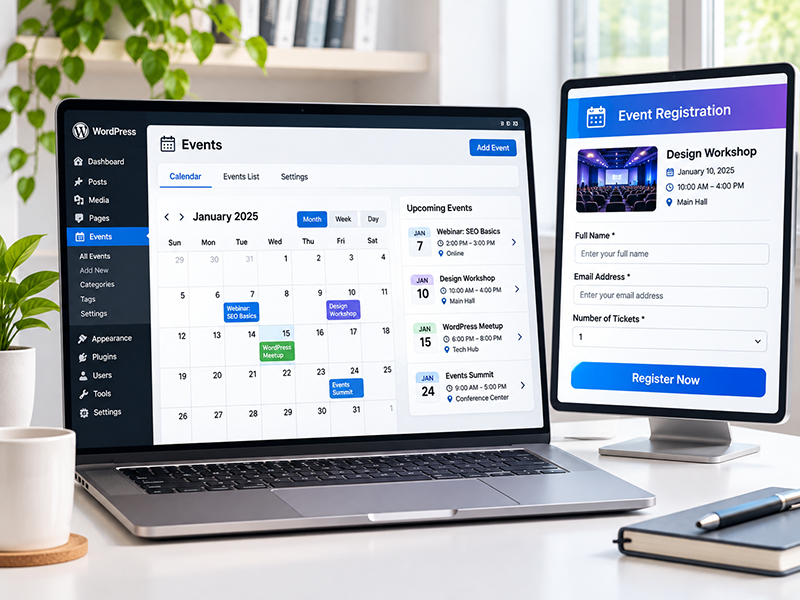
Why Your Choice of Events Plugin Matters
An events calendar should do more than display dates. Visitors may need to discover upcoming classes, view event details, register, and receive confirmation. Site owners need to update schedules without rebuilding pages every week.
Events Manager and The Events Calendar both handle event listings, but their free-versus-paid features and customization approaches differ.

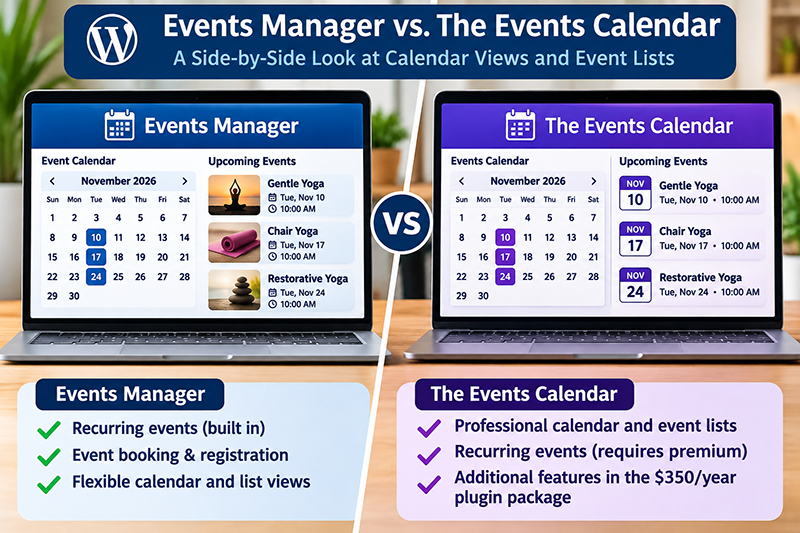
At a Glance: Key Differences
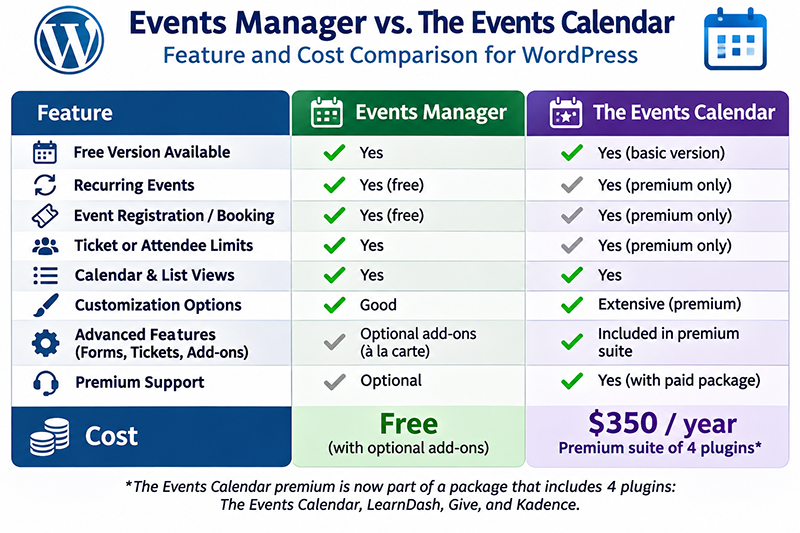
Pricing and packaging: The Events Calendar still offers a free basic plugin, but the current Nexcess premium package includes The Events Calendar, LearnDash, Give, and Kadence, starting at $350 per year for one website. The premium calendar is not sold separately through that package.
Recurring events: Events Manager includes recurring schedules in its free plugin; The Events Calendar offers recurring events through Events Calendar Pro.
Registrations: Events Manager includes booking and ticket-capacity features in its free version. The Events Calendar can work with the separate free Event Tickets plugin for RSVPs and ticketing.
Design: The Events Calendar provides polished event views out of the box. Events Manager offers flexible calendars, shortcodes, and editable templates, but may require more configuration.
Payments: Confirm payment needs carefully: Events Manager’s integrated payment gateways are Pro features, while the Events Calendar ecosystem uses Event Tickets and paid add-ons depending on the checkout workflow.
Recurring Classes and Repeating Events
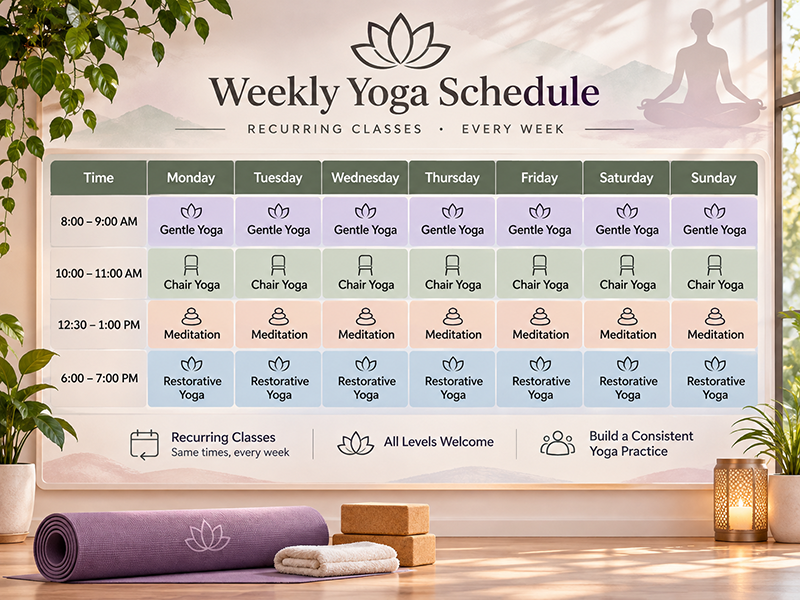
For a yoga instructor, church, gym, or training company, repeating schedules can be essential. Instead of entering the same class every week, a recurring event can generate a series based on selected weekdays and a date range.
Events Manager supports recurring patterns in its free version. The Events Calendar offers recurring event functionality through Events Calendar Pro.
When editing an existing recurring series, always check how changes affect individual occurrences and reservations before saving.
Bookings, Tickets, and Registration
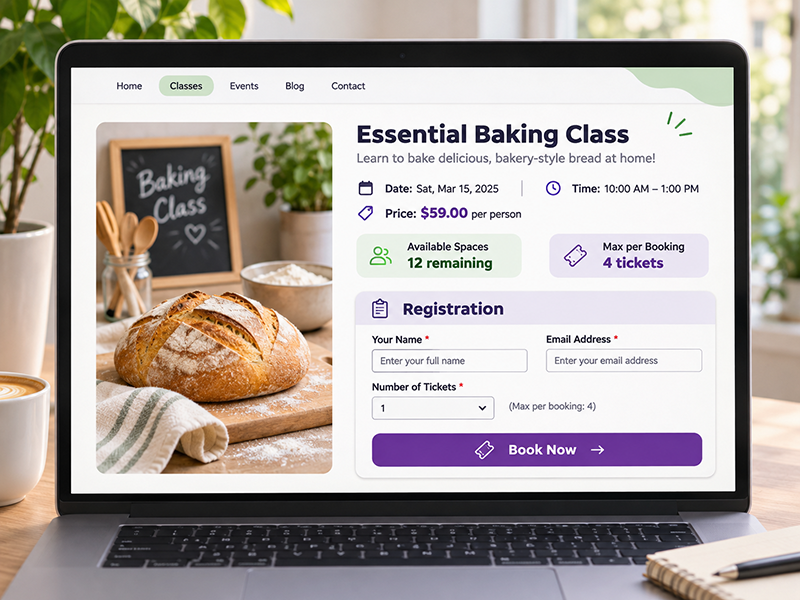
Events Manager includes event registration, booking approvals, ticket types, and capacity controls. It can be suitable for classes with a limited number of spaces, including free registration. Payments and more advanced booking tools may require a Pro plan.
The Events Calendar focuses on event presentation, while its companion Event Tickets plugin adds RSVPs and ticketing options. Additional premium extensions support more advanced selling and attendee workflows.
For either system, test confirmation emails, privacy-consent fields, ticket availability dates, and booking limits before accepting real registrations.
Calendar Appearance and Elementor Compatibility
The Events Calendar is often attractive with minimal styling. Its event views are a strong choice when visual presentation is a priority.
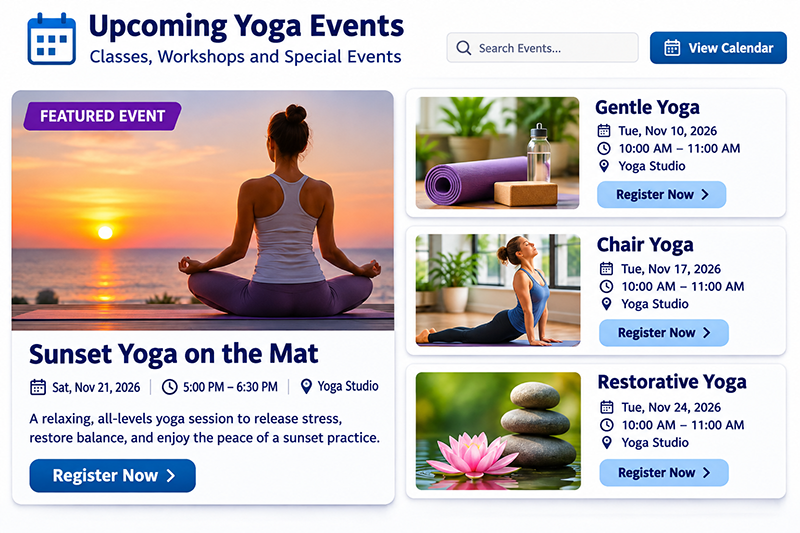
Events Manager supports calendars, lists, grids, and shortcodes that can be placed in Elementor pages. Featured photographs, text, and registration buttons can be displayed alongside event information.
Events Manager can be tailored to match your brand, but its template formatting may take more setup. Elementor Free can display the shortcodes; custom CSS can be added through WordPress rather than Elementor Pro.
Cost: Free Features vs. Premium Upgrades
Both plugins still have free base plugins, but the price of advanced features differs significantly. The current premium The Events Calendar offering is packaged as part of a four-product suite.
Events Manager: Recurring schedules and standard event registration are included in its free plugin. Online payment integrations, custom booking forms, and other enhanced tools may require paid extensions.
The Events Calendar: The basic calendar plugin remains free on WordPress.org, but recurring events require premium functionality. Nexcess now markets the premium offering within a package containing The Events Calendar, LearnDash, Give, and Kadence, starting at $350 annually for one website. According to Nexcess, the calendar is not sold separately in this package.
For someone who just needs a recurring yoga or fitness class schedule, paying for a suite of four software products may be excessive. Compare the complete feature bundle, the renewal cost, and what you will actually use. Pricing and licensing can change over time.
Which One Should You Choose?
Consider Events Manager if: You run frequent or recurring classes, need reservations and capacity limits, and want substantial functionality without starting with a premium calendar license.
Consider The Events Calendar if: You value polished event displays, already rely on its ecosystem, or can make practical use of the premium suite. For basic, non-recurring calendars, its free plugin remains an option.
Neither plugin is universally better. The right answer depends on your design priorities, registration requirements, payment flow, and budget.

How South Park Web Design Can Help
South Park Web Design can help your organization select, install, configure, and style a WordPress calendar that fits your workflow. We can create event pages with Elementor, configure recurring schedules, and test registration forms, email delivery, and mobile layouts.
We recommend testing your new event system on a staging website before switching a live calendar, especially if existing reservations need to be preserved.
Frequently Asked Questions
Does Events Manager support recurring events for free?
Yes. The free Events Manager plugin supports recurring events, though premium features are available for more advanced needs.
Do I need Events Calendar Pro for repeating classes?
Recurring events are a feature of Events Calendar Pro, rather than the base free The Events Calendar plugin.
Can I use either plugin with Elementor?
Both can be used on WordPress websites built with Elementor. Available widgets, shortcodes, and styling methods vary by plugin and plan.
Can I take paid registrations for classes?
Yes, but check which payment integrations and ticketing extensions are required for your preferred checkout method.
Is The Events Calendar still free?
Yes. A basic free plugin remains available on WordPress.org. The premium offering marketed by Nexcess is a four-product package with The Events Calendar, LearnDash, Give, and Kadence, starting at $350 per year for one site. Recurring events are not included in the basic free calendar.
Sources and Further Reading
Events Manager — official WordPress plugin listing
Events Manager — recurring-events documentation
The Events Calendar — official WordPress plugin listing
Events Manager — Free vs. Pro features
Nexcess — current premium plugin-stack packages and FAQ
Feature information reviewed November 2026. Verify current pricing and licensing directly with the plugin developers.