What Is Google Search Console and Why Is It Important for SEO?
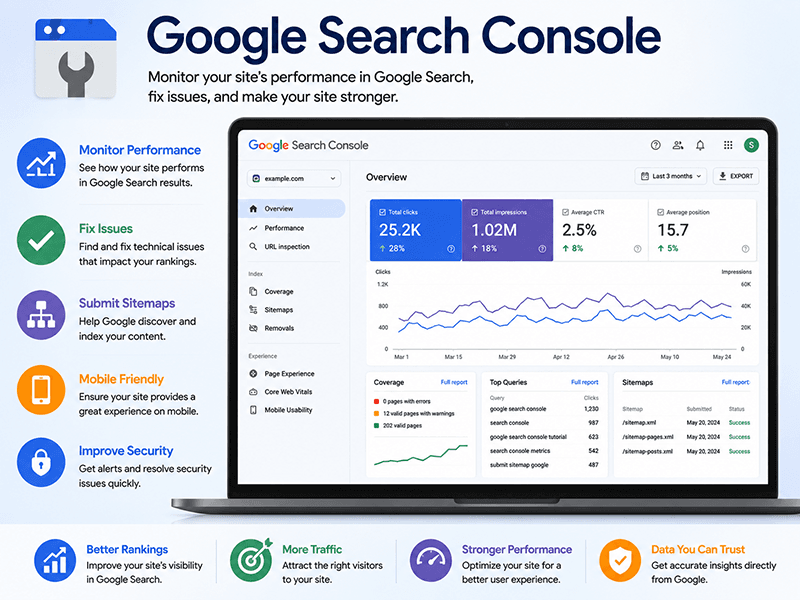
Google Search Console is a free tool from Google that helps website owners understand how their site appears in search results, identify technical problems, and improve SEO performance.
Why Google Search Console Matters
If you want your website to rank higher on Google, you need reliable information about how Google discovers, crawls, indexes, and displays your pages.
Google Search Console shows which search queries generate impressions, which pages receive clicks, and whether technical problems are preventing important pages from being indexed.
For small businesses, WordPress website owners, and SEO professionals, it is one of the most valuable free tools available.
What Is Google Search Console?
Google Search Console is a free website-management and SEO platform provided by Google. It helps site owners monitor how their pages perform in Google Search and identify issues that may affect visibility.
It focuses on what happens before a visitor reaches your website: how often pages appear, which keywords trigger those appearances, and how users respond to your search listings.
What Information Does Google Search Console Provide?
- Total clicks: Times searchers clicked your website from Google Search.
- Total impressions: Times your pages appeared in results.
- Click-through rate: Percentage of impressions that became clicks.
- Average position: Average ranking position for tracked searches.
- Search queries: Words and phrases people used.
- Top pages: Pages receiving the most impressions and clicks.
- Countries and devices: Searcher location and device type.
Why Is Google Search Console Important for SEO?
Search Console provides direct evidence of how Google evaluates your website.
- Shows whether Google can discover and index pages
- Identifies queries already generating impressions
- Reveals pages with high impressions but low CTR
- Reports crawl, indexing, mobile, and security problems
- Tracks performance over time
- Helps measure the effect of SEO changes
How Search Console Helps With Indexing
A page normally must be indexed before it can appear in Google Search.
- Indexed: Google added the page to its index.
- Discovered – currently not indexed: Google knows the URL but has not crawled it yet.
- Crawled – currently not indexed: Google visited the page but did not index it.
- Page with redirect: The URL points elsewhere.
- Excluded by noindex: The page tells Google not to index it.
- Not found: The URL returns a 404 error.
Using Search Console to Improve Click-Through Rate
When a page has high impressions but low CTR, review the SEO title, meta description, search intent, stated benefit, and ranking position.
Improving the search snippet can increase traffic without creating a new page.
SEO tools can identify problems, but improving rankings also requires keyword research, content optimization, technical corrections, internal linking, and local search optimization. Learn more about our Charlotte SEO services for small businesses.
Technical SEO Reports in Search Console
- Page indexing
- Sitemaps
- Core Web Vitals
- Mobile usability
- HTTPS
- Structured-data enhancements
- Manual actions
- Security issues
Google Search Console vs. Google Analytics
Google Search Console shows how people find you through Google Search. Google Analytics shows what visitors do after arriving.
| Search Console | Google Analytics |
|---|---|
| Search impressions and clicks | On-site behavior |
| Search queries | Traffic sources |
| Average position | Events and conversions |
| Indexing and crawl issues | Engagement reports |
How to Set Up Google Search Console
- Sign in with a Google account.
- Add your website as a property.
- Verify ownership.
- Submit your XML sitemap.
- Inspect important pages.
- Review Performance and Page Indexing reports regularly.
Google Search Console Best Practices
- Review trends weekly or monthly.
- Compare date ranges.
- Prioritize high-impression pages.
- Improve thin or duplicate content before requesting indexing.
- Keep the sitemap accurate.
- Use internal links to support important pages.
- Investigate sudden drops.
Google Search Console Best Practices
- Review trends weekly or monthly.
- Compare date ranges.
- Prioritize high-impression pages.
- Improve thin or duplicate content before requesting indexing.
- Keep the sitemap accurate.
- Use internal links to support important pages.
- Investigate sudden drops.
Use Search Console Data to Improve Your Website
Search Console data becomes most useful when it leads to action. A high-impression page may need a better title. A location page may need stronger internal links. A service page may need more original content, FAQs, testimonials, or project examples.
Related services: Charlotte SEO Services, WordPress Website Design Charlotte NC, Website Redesign, and AI Website Monitoring.
Frequently Asked Questions
Yes. It is free for verified website owners and authorized users.
Not directly. It provides data and reports that help you make improvements.
Most small businesses should review it weekly or monthly.
Google may know the URL exists but have not crawled it yet.
An impression means your page appeared; a click means someone selected it.
No. Use a clean sitemap and strong internal linking.
Yes. The Performance report shows queries, impressions, clicks, CTR, and average position.
Yes. Search Console explains discovery; Analytics explains on-site behavior.
Need Help Improving Your Search Visibility?
South Park Web Design can help you connect Google Search Console, review indexing problems, improve high-impression pages, and strengthen local SEO.